
Plans & Billing
Try everything free for 24 hours, then choose the plan that fits: from a website and leads to a full sales team and our people working with you.
Current plans and prices are always on the pricing page. Prices are set in Indian rupees and shown in your local currency.
The 24-hour free trial
Every new account starts on a free trial for 24 hours. When it ends, a screen asks you to pay to continue. If you need more time to decide, choose Request an extension, say how many days and why, and our team approves or declines it.
What each kind of plan includes
- Free (the trial): an AI-built website on a free address, the chatbot, the lead list, and social media posting.
- Paid plans: add a custom domain, paid ad campaigns, Google Business Profile and review replies, Auto Mode for AI edits, free migration of an existing WordPress site, a dedicated WordPress developer, and email support. The Leads CRM gets the pipeline board, follow-ups, notes and import.
- Top-tier plans: add more websites, more AI images, the AI Budget Optimizer, advanced analytics and priority support. The Leads CRM gets a sales team, monthly targets and automatic lead sharing with daily reminders. See Leads CRM.
Compare plans and upgrade
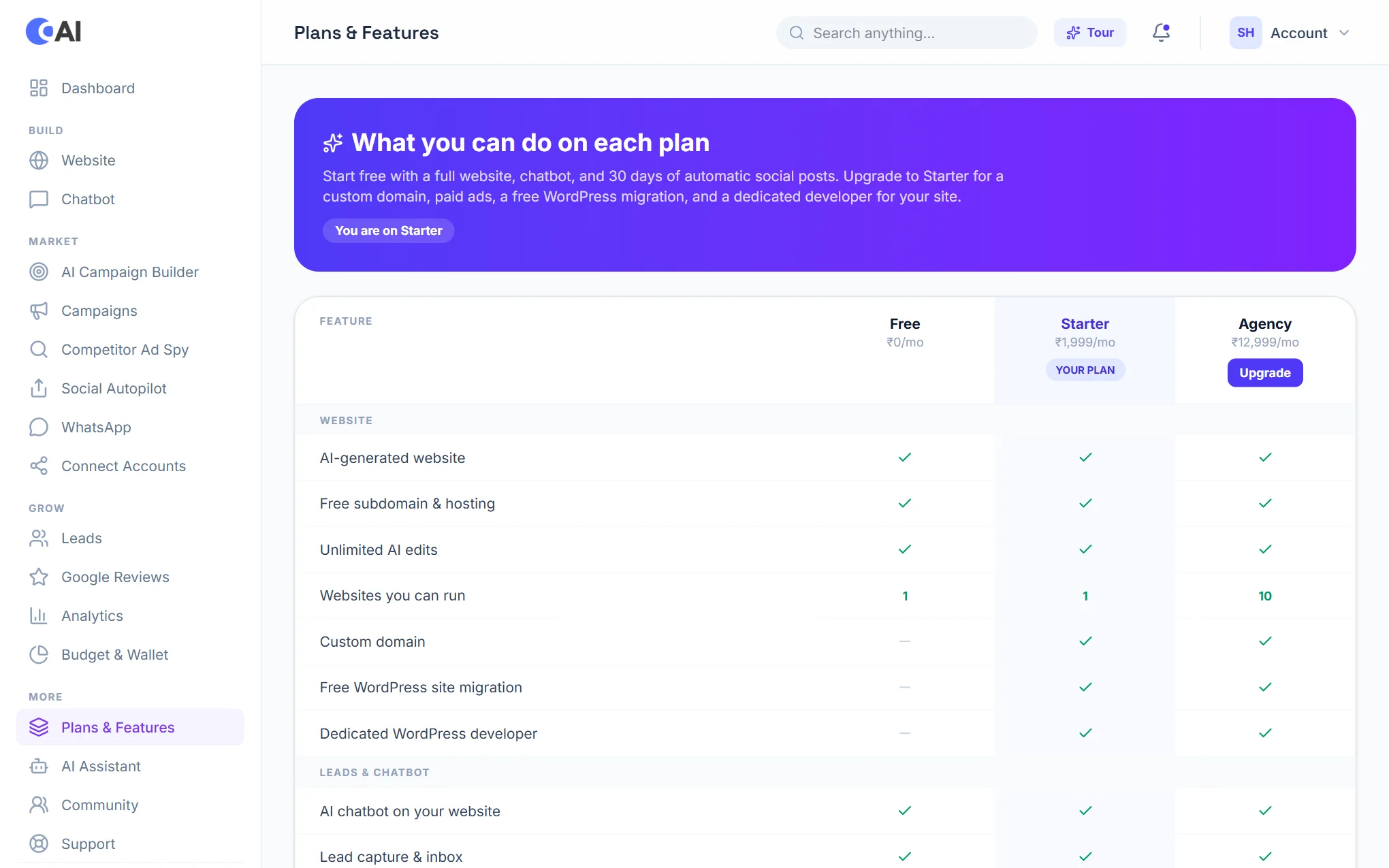
In your dashboard, open Plans & Features. It lists every plan on sale next to the one you are on, feature by feature. Choose Upgrade under a plan to pay for it; the change takes effect as soon as the payment goes through.
AI credits, storage and websites
Each plan has a monthly allowance of AI credits. For example an AI edit to your website uses 20, an AI blog post 10, an SEO fix 5 and an AI reply 2. Open Usage & Resources to see what you have used this month, and choose Request more for more AI credits, storage or websites.
Ad budget and the Ad Wallet
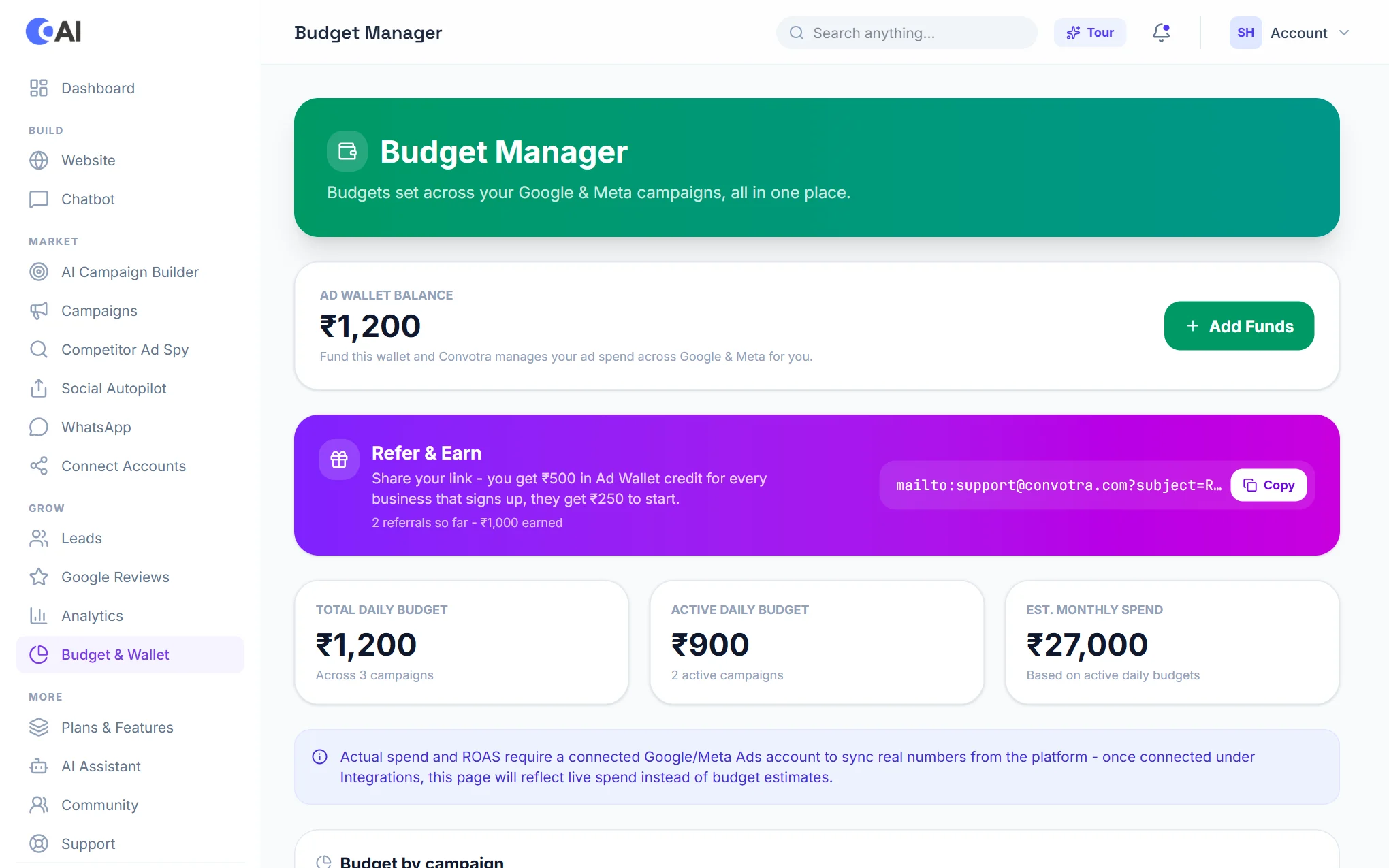
Advertising is paid for from your Ad Wallet, which is separate from your plan. Some plans include ad budget: that amount is added to your wallet each time the plan is paid for. You can top up more at any time from Budget & Wallet.
Payments
Plans are billed monthly. Payments are taken securely by Razorpay; Convotra never sees your card details. If a payment was taken but your plan did not change, write to support@convotra.com with the payment reference.