
Getting Started
From a new account to a live website with marketing built in. Most businesses are online within an hour.
Convotra AI gives a small business everything it needs to be found and to grow, in one place: a real WordPress website, an AI chatbot that captures leads, social media posts, paid ads, replies to Google reviews and WhatsApp messaging, plus a CRM to follow every lead to a sale. The pictures in these guides show the real screens with a sample business, Sharma Dental Care.
Three ways to start
- Do it yourself. Create an account (you get a 24-hour free trial), pick a ready-made theme and follow the steps below.
- Have it done for you. Our paid plans include a dedicated WordPress developer who sets things up with you. See Plans & Billing.
- See it first. Book a live demo with our team.
1. Your dashboard
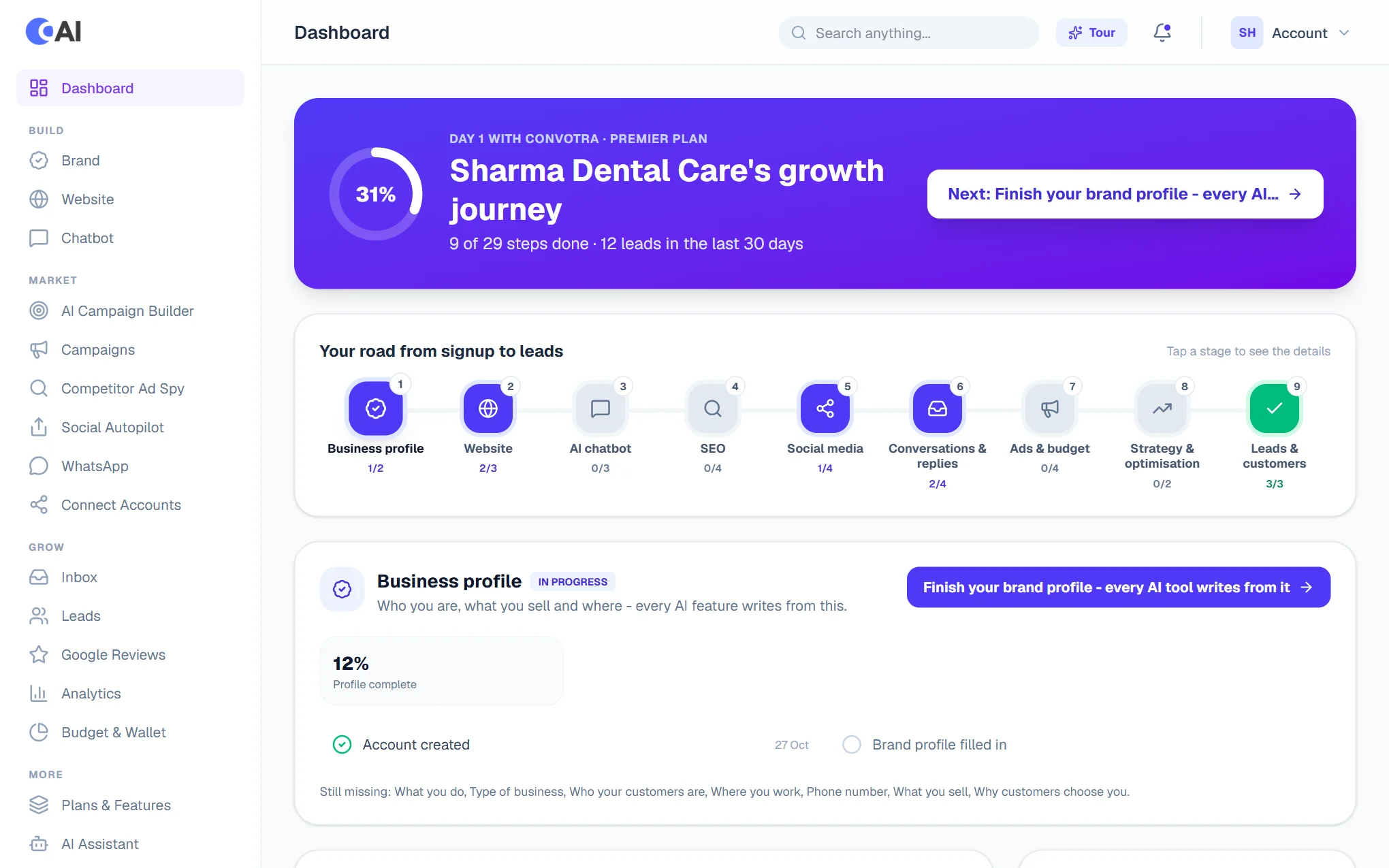
After you sign in you land on the dashboard. The Growth Journey shows how far along you are, and Do these next lists the next steps, each with a button that takes you there. The menu on the left is grouped the way you will use it: Build, Market, Grow. See Dashboard & Journey.
2. Fill in your Brand Profile
Open Brand and tell us about the business once: what you offer, your customers, your contact details, logo and colour. Every AI tool writes from it. See Brand Profile.
3. Create your website
Open Website and choose Create Website. Tell us about the business, then pick a look: a ready-made theme built for your kind of business, or a colour and font style for the AI to design around.
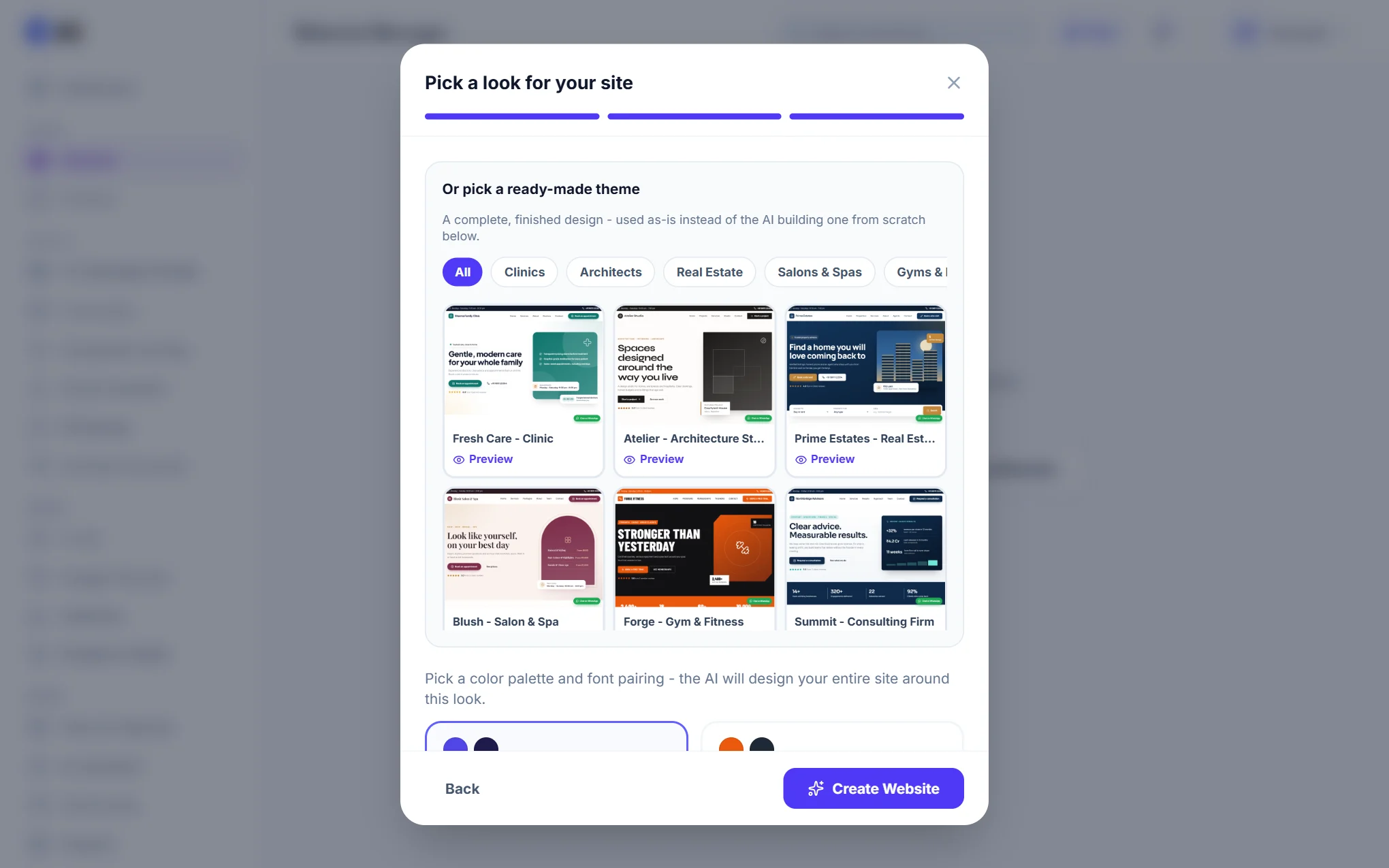
Your site goes live on a free convotra.website address with SSL, usually within a few minutes.
4. Switch on the rest
- Set up the chatbot so visitors can ask questions and leave their details.
- Connect your accounts: Google, Facebook, Instagram and the rest.
- Schedule your social posts, with your logo and contact details on every image.
- Launch your first ad campaign when you are ready to pay for reach.
- Answer messages and reviews from the Inbox, and follow up every lead in the Leads CRM.