
Google Reviews
Every review answered. Replies show customers you care and help you rank higher on Google Maps. Available on paid plans.
Before you start
Connect Google Business Profile from Connect Accounts, using the Google login that manages your business listing.
Your reviews in one place
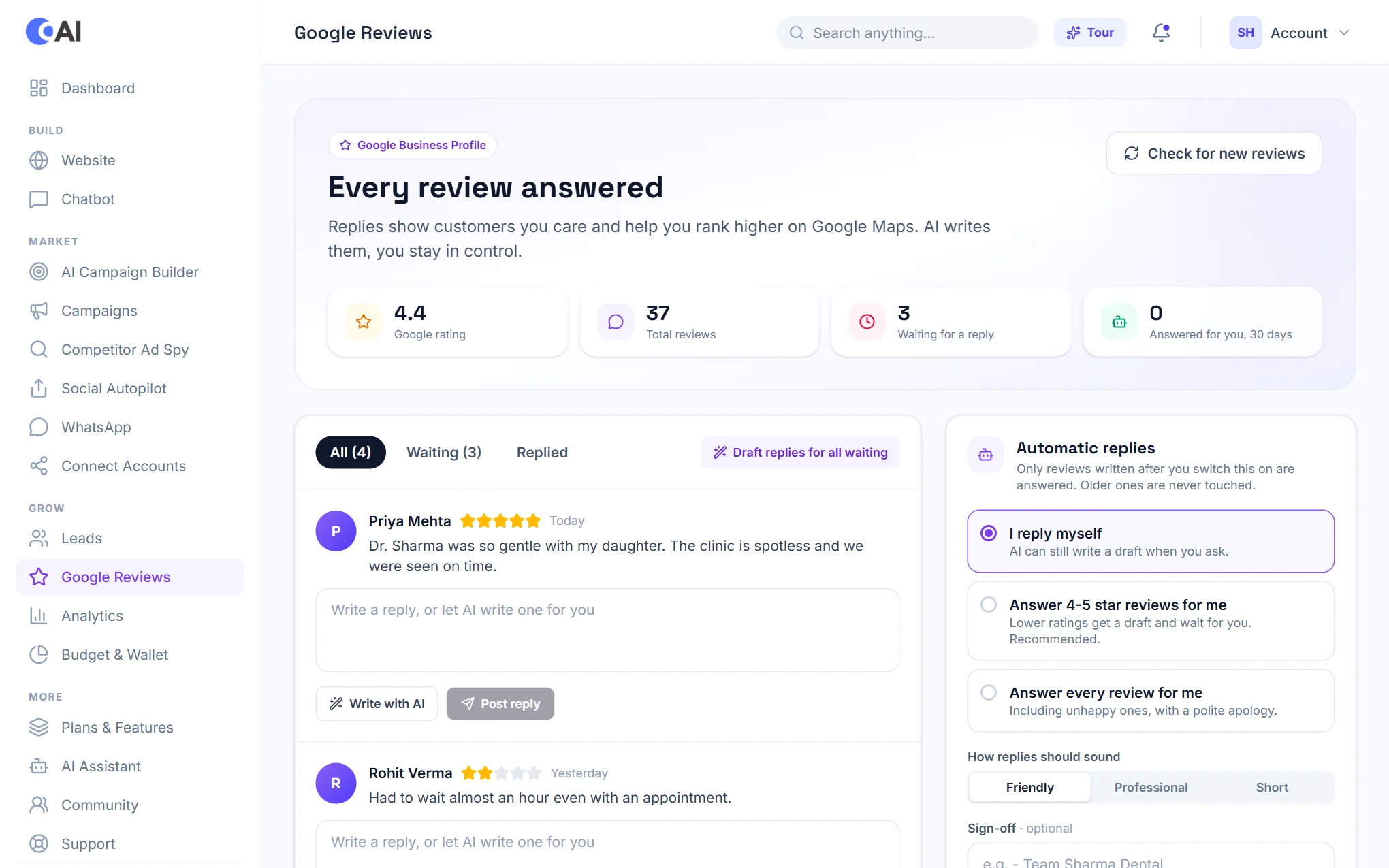
Open Google Reviews. The top of the page shows your rating, the number of reviews and how many are waiting for a reply. Below, filter by All, Waiting or Replied. Choose Check for new reviews to fetch the latest.
Replying
- Under a review, choose Write with AI. A reply is drafted in your chosen tone.
- Read it and change anything you like.
- Choose Post reply. It appears on Google under the review.
Draft replies for all waiting prepares a draft for every unanswered review at once. Nothing is posted until you post it.
Automatic replies
Choose how much to hand over:
- I reply myself: AI only drafts when you ask.
- Answer 4-5 star reviews for me: good reviews are answered automatically; lower ratings get a draft and wait for you. This is the recommended setting.
- Answer every review for me: including unhappy ones, with a polite apology.
Pick the tone (Friendly, Professional or Short) and an optional sign-off. Automatic replies apply only to reviews that arrive after you switch them on, never to older ones.
Get more reviews and stay visible
- Get more reviews gives you a ready message with your review link to copy and send to customers.
- Local search checklist shows what is still missing from your listing.
- Post an update publishes news or an offer to your Business Profile.