Ad Campaigns
Describe a goal in one sentence. Get a campaign you can review, edit and launch. Available on paid plans.
Campaigns run on your own connected ad accounts and are paid for from your Ad Wallet. Nothing is spent until you launch.
Before you start
- Connect the ad account you want to use.
- Add money to your Ad Wallet from Budget & Wallet. Some plans add ad budget for you each time you pay; see Plans & Billing.
Step 1: Describe what you want
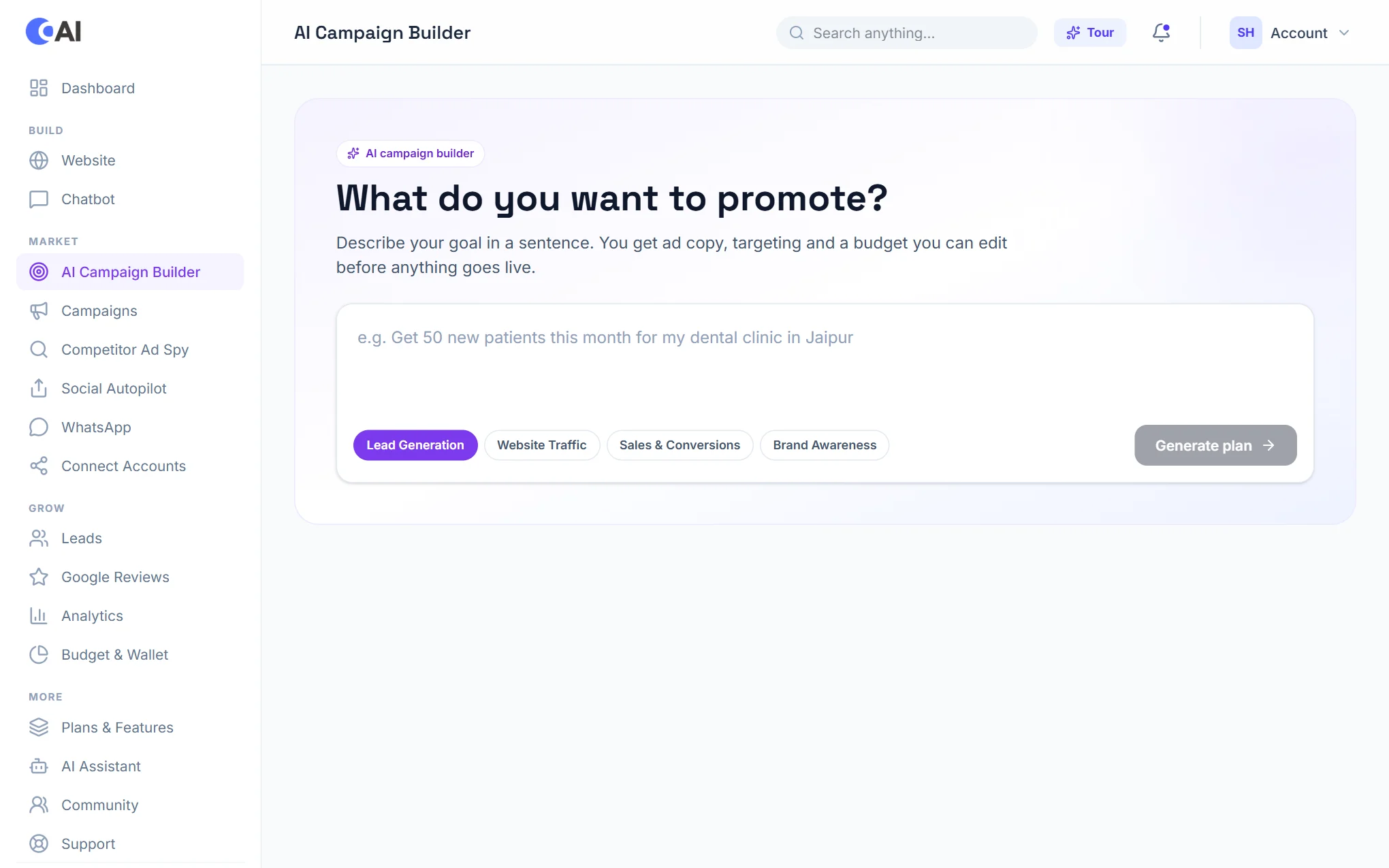
Open AI Campaign Builder. Type your goal in a sentence, for example "Get 50 new patients this month for my dental clinic in Jaipur", choose the kind of result you want (leads, website traffic, sales or awareness), and choose Generate plan.
Step 2: Review and launch
You get ad copy, targeting and a budget, all of which you can edit. Ad images are made in your brand, with your logo and contact details placed for you, and you can drag them where you want. Nothing goes live until you launch it.
Step 3: Manage your campaigns
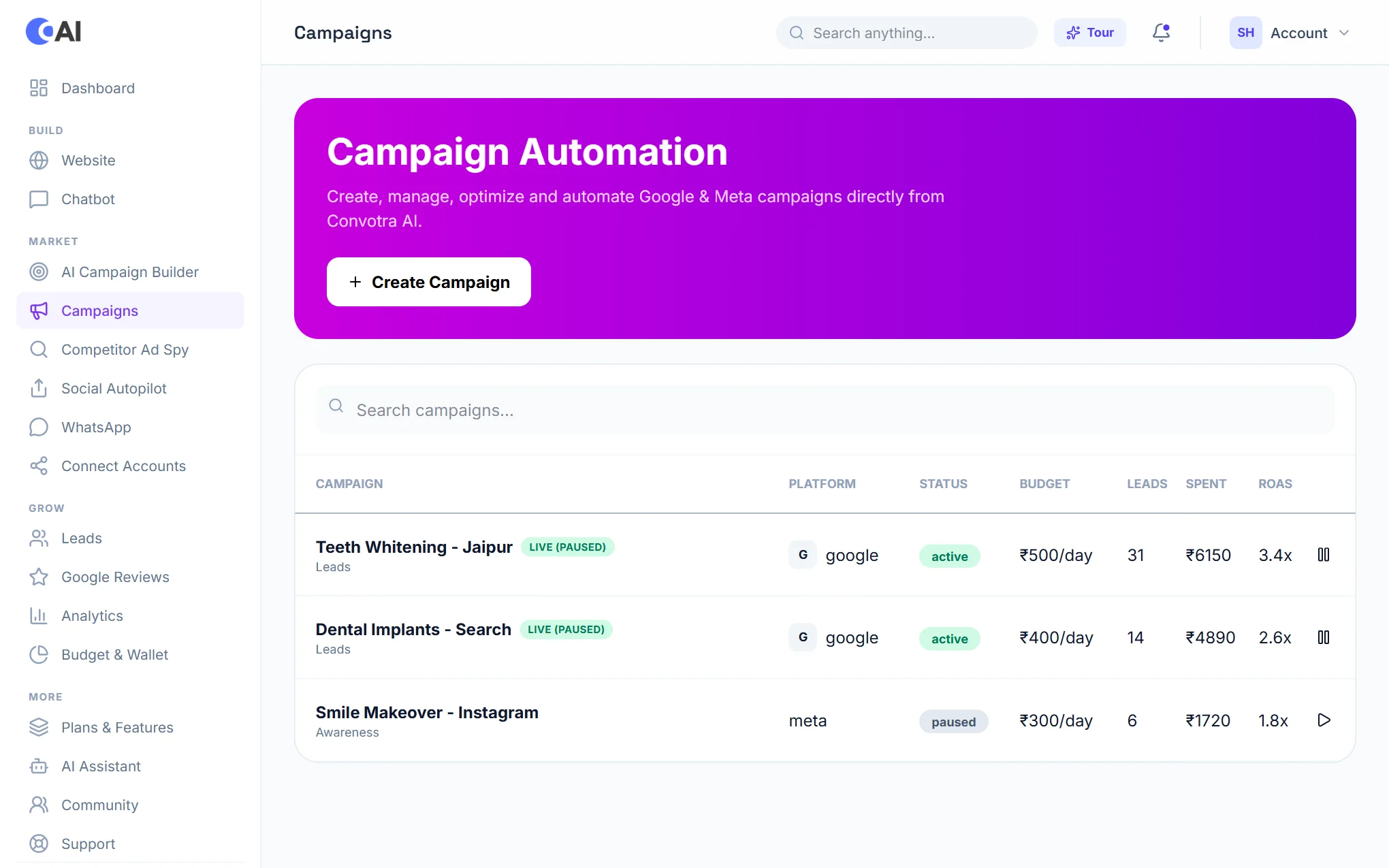
Campaigns lists every campaign with its platform, status, daily budget, leads and spend. Pause or resume a campaign from the button at the end of its row.
Budget and wallet
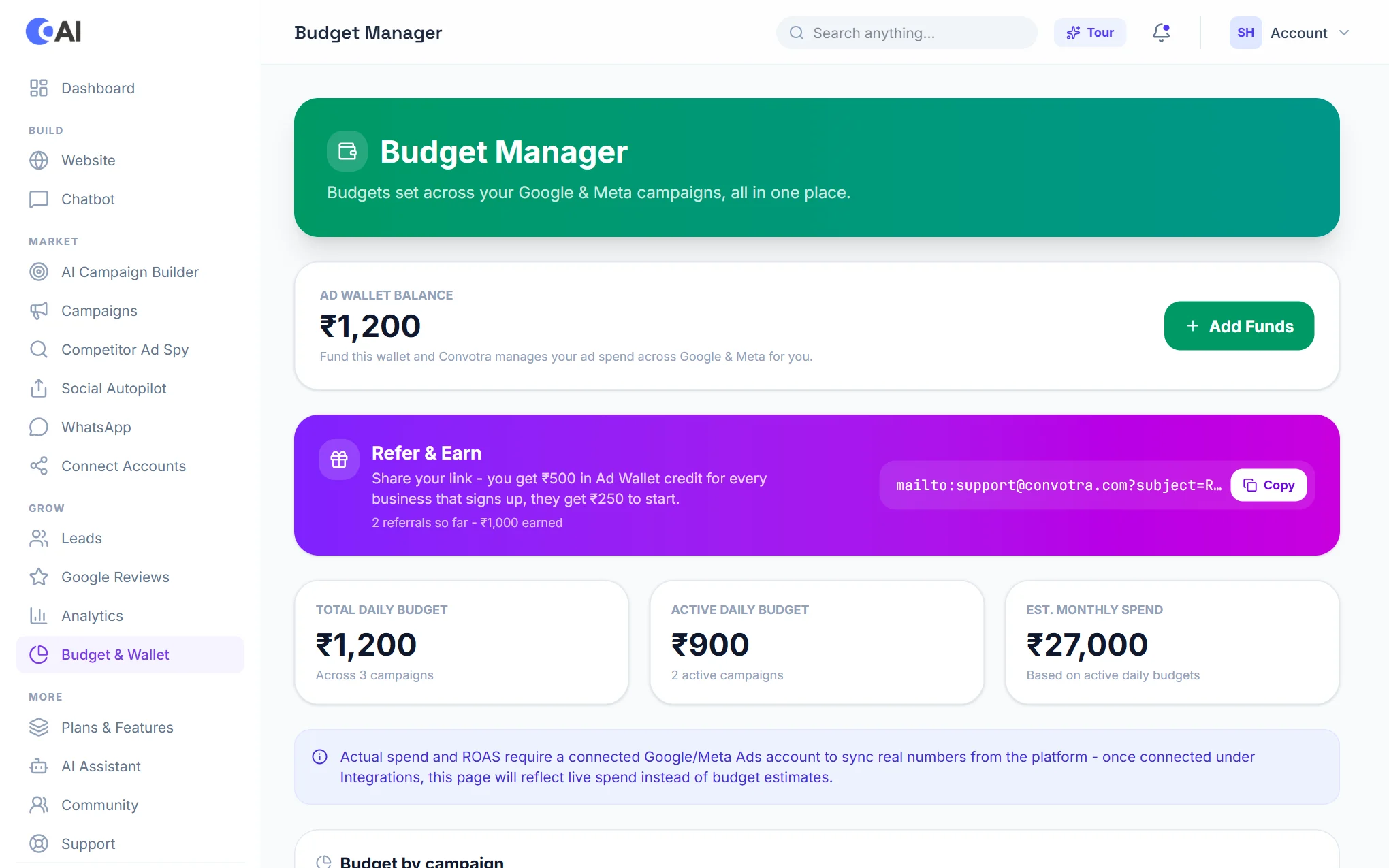
Budget & Wallet shows your wallet balance, your total and active daily budgets, and an estimate of the month's spend. Choose Add Funds to top up. Refer & Earn gives you wallet credit when a business signs up with your link.
See the results
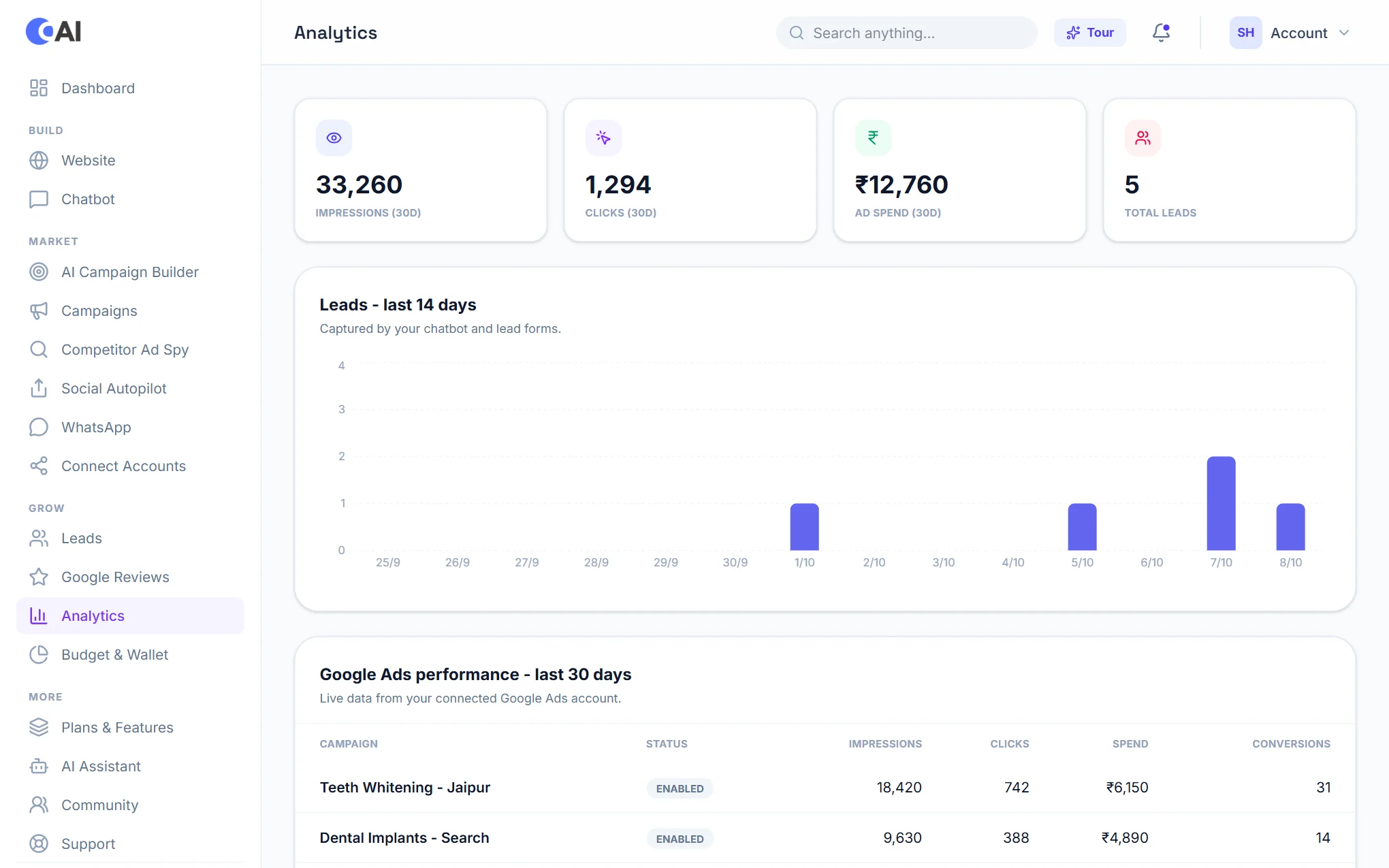
Analytics brings together impressions, clicks, spend and leads, with a chart of leads over the last 14 days and a table of each Google Ads campaign over the last 30.