
AI Website Builder
A real WordPress website, built for you in minutes. You keep full WordPress admin access.
Every site Convotra AI creates is a complete WordPress installation with hosting and SSL included, not a mock-up. You can change it by describing what you want, or log in to WordPress and edit it yourself.
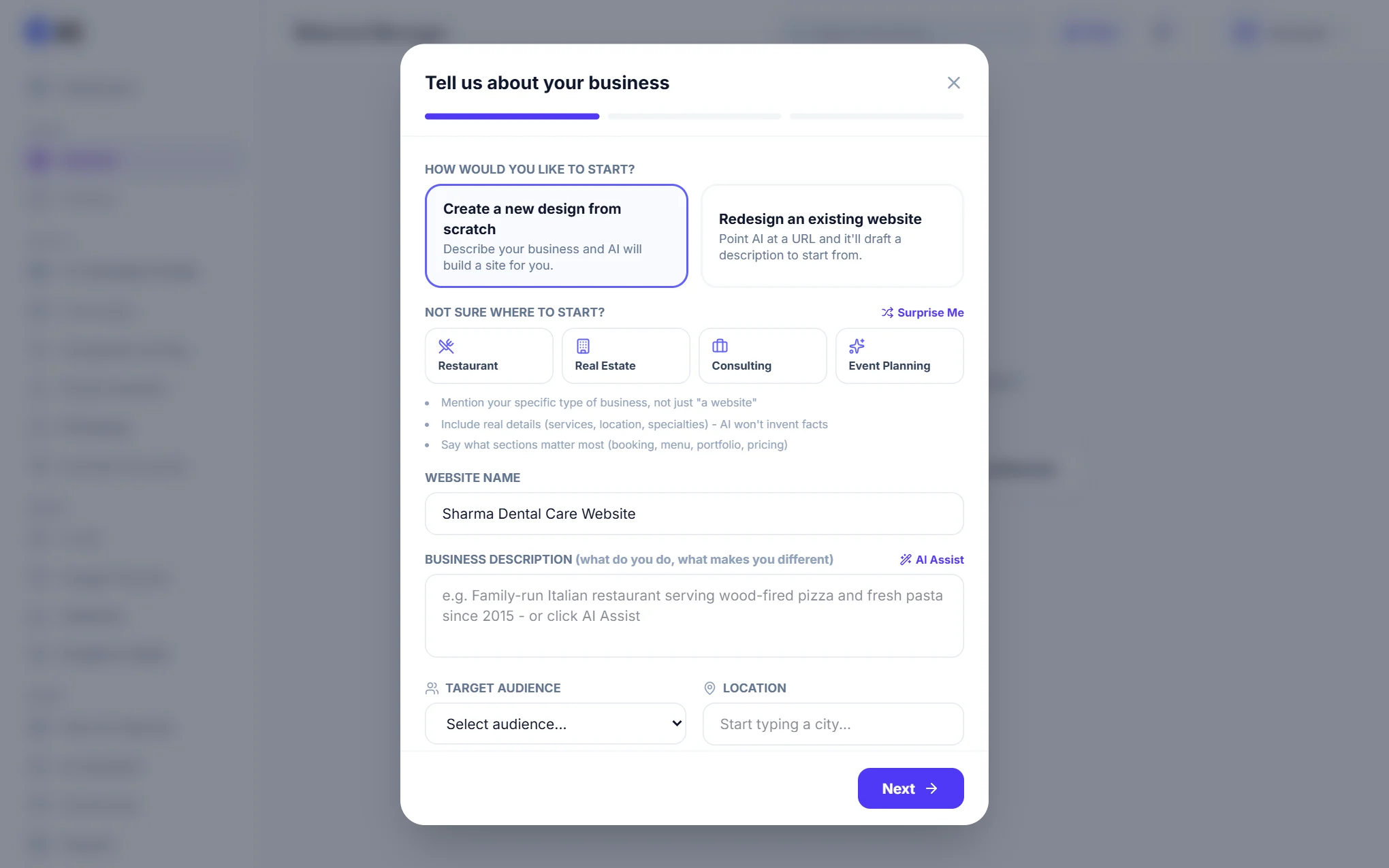
Step 1: Tell us about your business
Go to Website and choose Create Website. Start a new design, or point us at an existing site to redesign. Give the website a name, describe what the business does and what makes it different, and pick your audience and city. If you are not sure what to write, tap one of the examples or AI Assist.
Step 2: Pick a look
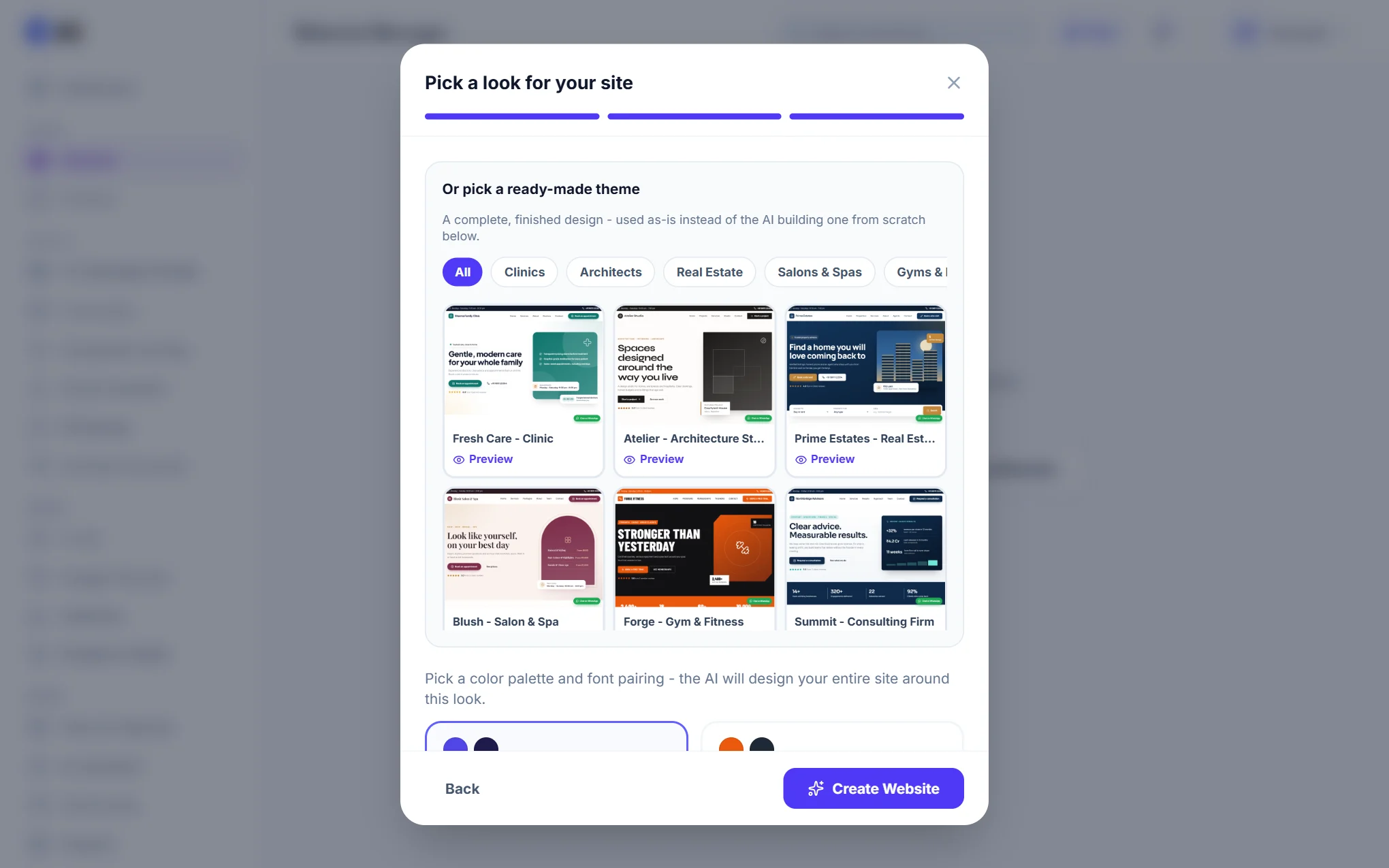
You have two choices on the last step:
- A ready-made theme: a complete, finished design for a type of business (clinics, architects, real estate, salons and spas, gyms, consulting firms, independent consultants). It is used as it is, and everything in it is edited from WordPress admin. Use Preview to see the whole page first.
- An AI-designed site: choose a colour palette and font pairing, and the AI designs the site around it.
Step 3: Manage your live site
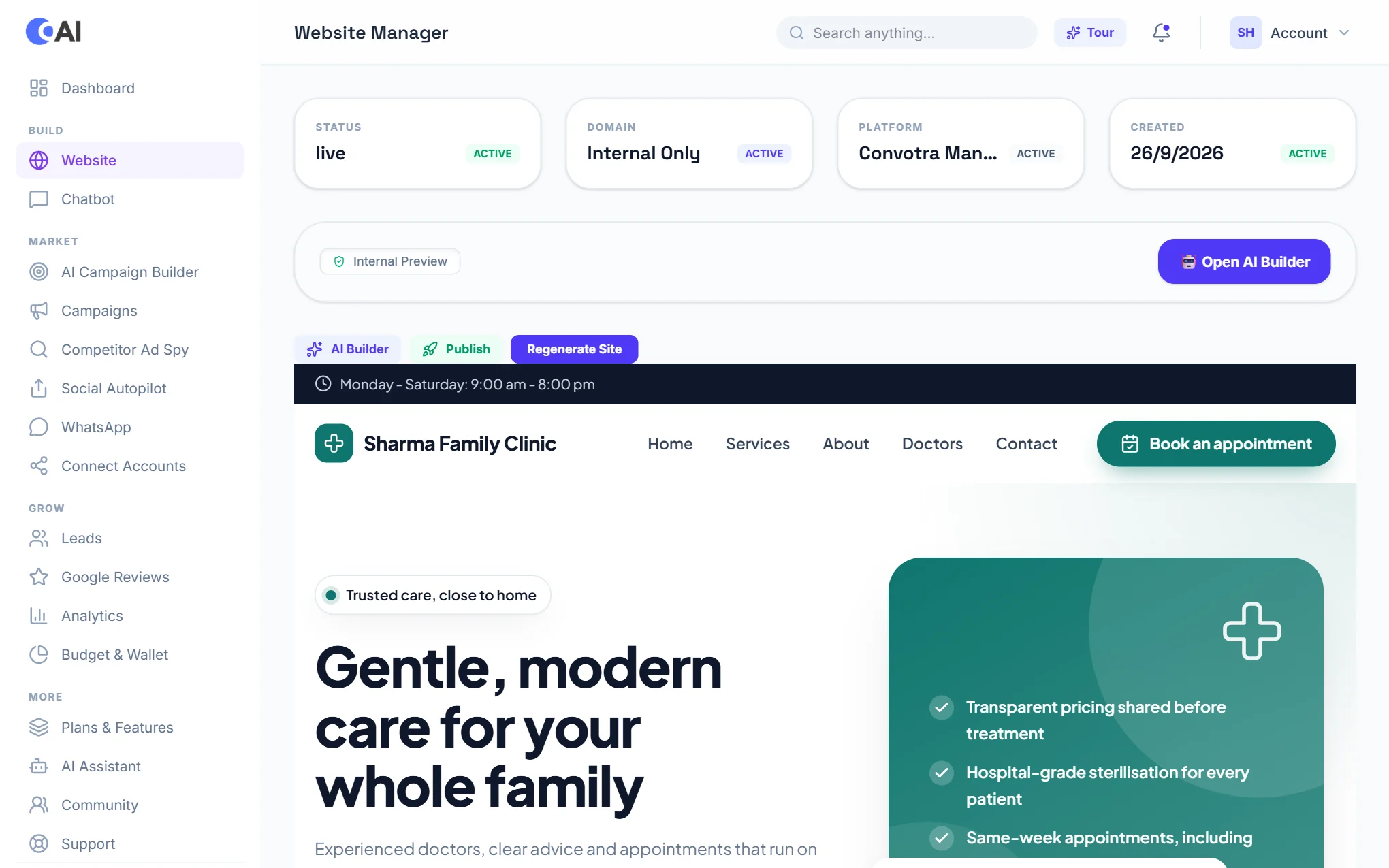
When the site is ready, Website shows its status, address, hosting and a live preview. From here:
- Edit with AI: click anything on your site and say what should change. See AI Editor.
- Drag & drop editor: arrange sections yourself, on the ready-made themes. See Drag & Drop Editor.
- Open WordPress admin: signs you in to WordPress, no password needed.
- Publish changes pushes the latest edits live; Rebuild from scratch generates the whole site again.
- Custom Domain: put the site on your own address (paid plans). See Custom Domain.
- SEO: the health check, AI fixes and reports. See SEO & Blog.
- Snapshots & Backups: choose Create Snapshot before a big change; a snapshot can put the site back exactly as it was.
- Feature as a Case Study: off by default. Switch it on to show your site on the Convotra website.
- Danger Zone: delete the website for good, with its database and files. This cannot be undone.
Already have a WordPress website? Choose Connect Existing Website to manage it from Convotra, or ask for a free migration on a paid plan.